
CPS for WooCommerce
Native WooCommerce configurator with real-time pricing.
WooCommerce 8.0+ / WordPress 6.4+
Real-time price updates as customers configure
Configuration summary stored in the cart item
Full configuration detail on every WooCommerce order
Per-product settings: enable CPS, product ID, theme, layout
Screenshots
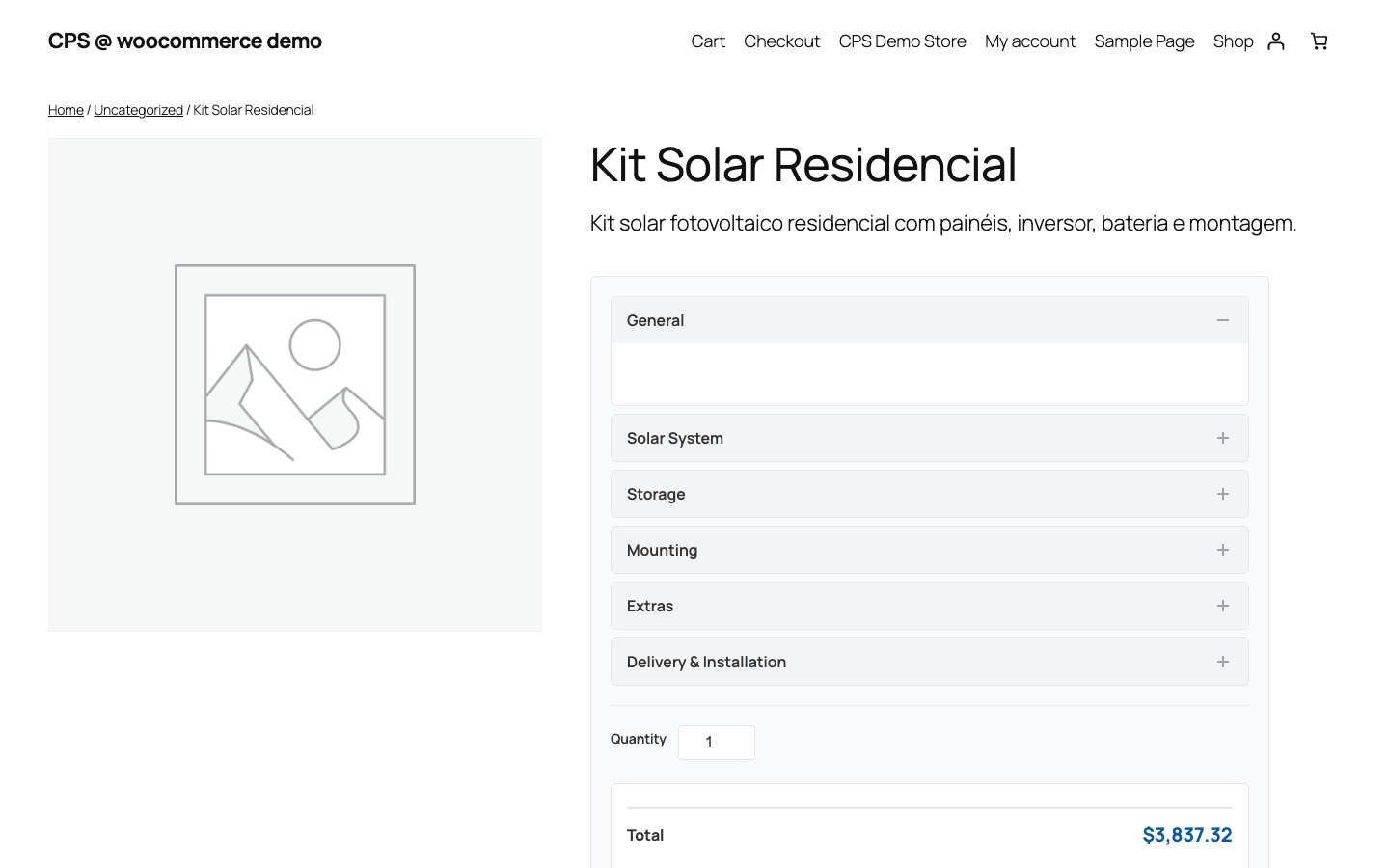
CPS configurator embedded in a WooCommerce product page
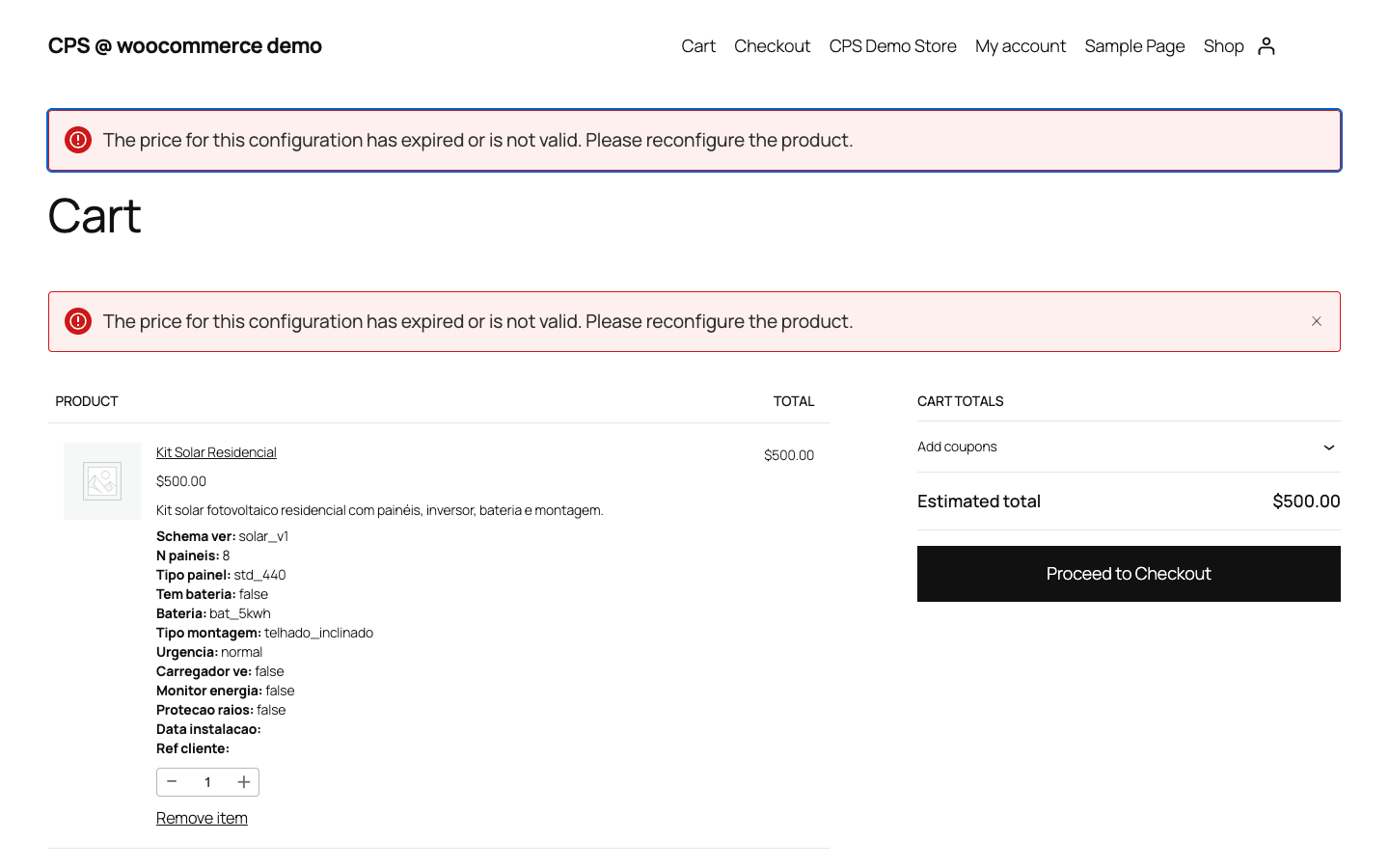
WooCommerce cart showing configuration summary and price
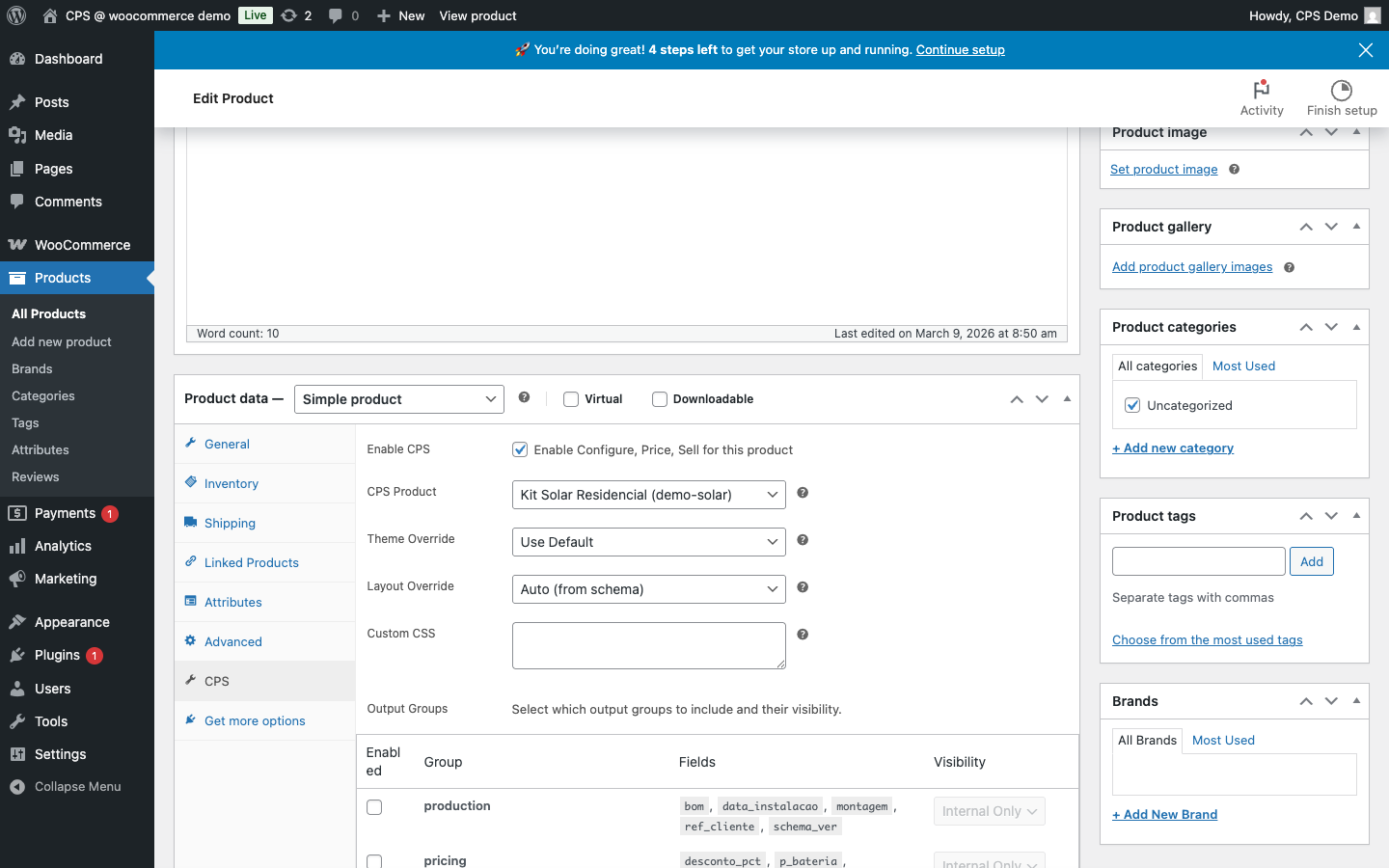
WooCommerce product admin with CPS settings panel
Walkthrough
1
Upload the Plugin
Download the CPS WooCommerce plugin from your account dashboard and upload it via Plugins → Add New → Upload Plugin in your WordPress admin.

2
Activate & Enter API Key
Activate the plugin and go to WooCommerce → Settings → CPS. Paste your API key and tenant code from the CPS backoffice.

3
Verify Connection
Click "Test Connection". A green status indicator confirms the plugin is communicating with the CPS API.

1
Enable CPS on a Product
Open any WooCommerce product and scroll to the CPS section. Toggle "Enable CPS Configurator" to on.

2
Select the CPS Product
Choose the matching CPS product from the dropdown. This links the WooCommerce product to the correct pricing schema.

3
Choose Theme & Layout
Select a visual theme and layout that suits your store design. Optionally add custom CSS for fine-grained control.

1
Customer Configures
The CPS configurator loads inline on the product page. As the customer makes selections, the price updates in real time.

2
Add to Cart
The customer clicks Add to Cart. The full configuration and calculated price are saved with the cart item.

3
Checkout
The configuration summary is visible throughout checkout and in the order confirmation email.

1
Order List
Orders containing CPS products are flagged in the WooCommerce order list so you can identify them at a glance.

2
Order Detail
Open any CPS order to see the complete configuration breakdown — all selections and the final calculated price.

Ready to get started?
Connect CPS to your WooCommerce store in minutes. No coding required.